Setting Up TrimixIPTV on TiviMate Premium with EPG
TiviMate is the gold-standard IPTV player for Firestick and Android. This guide configures TrimixIPTV with Xtream Codes and the full EPG guide.
Requirements
- TiviMate IPTV Player (free) + TiviMate Companion subscription for premium features
- Active TrimixIPTV subscription with Xtream Codes credentials
- Amazon Firestick, Android TV Box, or Android phone/tablet
- Minimum 5 Mbps internet speed (20+ Mbps for 4K)
TiviMate Configuration Steps
Purchase TiviMate Premium
Download TiviMate IPTV Player from the Google Play Store or Amazon App Store. A TiviMate Companion subscription (from Google Play, ~$4.99/year) unlocks premium features including multiple playlists and catch-up TV.
Open TiviMate and Add Playlist
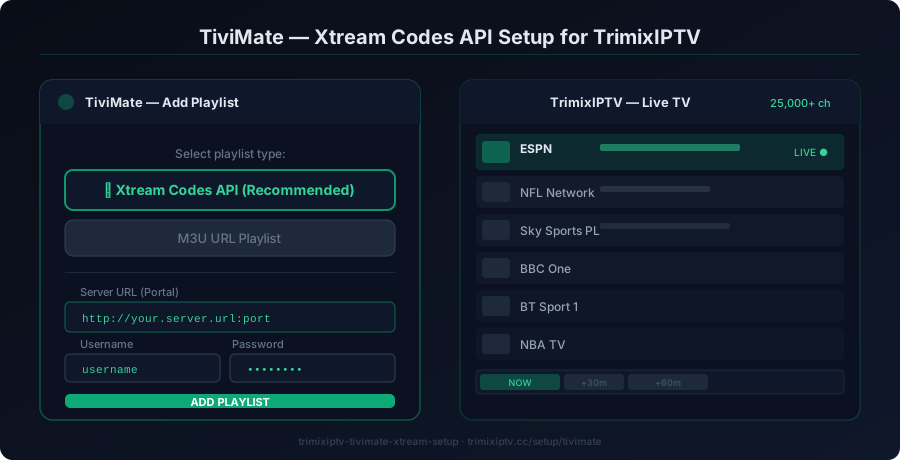
Launch TiviMate on your device. Click "Add Playlist" and choose "Xtream Codes API" (recommended for TrimixIPTV). This gives you access to the full channel list, EPG, and VOD.
Enter Your TrimixIPTV Xtream Credentials
In the Xtream Codes login screen, enter: Server URL — provided in your activation email. Username — your TrimixIPTV username. Password — your TrimixIPTV password. Tap "Add" to connect.
Configure EPG (Electronic Program Guide)
TiviMate automatically fetches the EPG from your TrimixIPTV server. Go to Settings → EPG Settings and ensure the refresh interval is set to "Daily" for the most accurate guide data.
Organize Your Channels
In TiviMate, you can create favorites lists and group channels by category (Sports, Movies, UK, US, etc.). This makes navigation much faster when browsing your 25,000+ TrimixIPTV channels.
Enable Catch-Up TV (Premium Feature)
With TiviMate Premium, enable Catch-Up in Settings → Catch-Up. This allows you to replay content from the past 7 days on supported TrimixIPTV channels — perfect for sports events you missed.