How to Setup Trimix IPTV on Samsung & LG Smart TVs
Stream without an external Firestick or Apple TV box. Upload your Trimix IPTV M3U Plus URL directly to IBO Player, Smart IPTV, or Nanomid.
Quick Summary (Inverted Pyramid Answer)
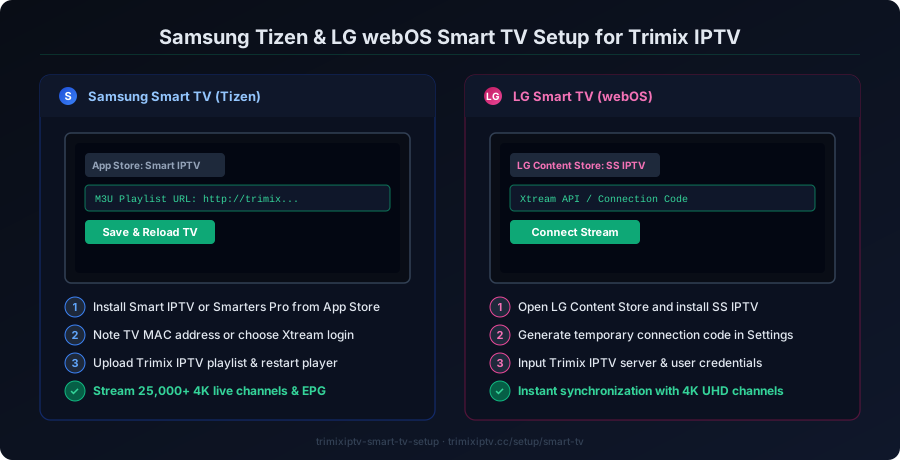
- Step 1: Download IBO Player (preferred) or Smart IPTV from the official Samsung Apps or LG Content Store.
- Step 2: Note the Device MAC Address displayed on your TV screen.
- Step 3: Visit the player's web portal on your phone, input the MAC, and paste your Trimix IPTV M3U URL to stream instantly.
1. Top Smart TV Apps for Samsung & LG
IBO Player (Top Choice)
Fastest channel loading on Tizen 5.0+ and webOS 4.5+. Smooth 4K buffer cache.
Smart IPTV (SIPTV)
Classic interface with dedicated color-key remote shortcuts (Red/Green/Yellow/Blue).
Nanomid Player
Built-in anti-buffering proxy with built-in VPN compatibility for restricted networks.
2. IBO Player Portal Setup (Step-by-Step)
Follow this sequence using your smartphone or desktop computer:
- Open IBO Player on your Samsung or LG TV and leave the screen open.
- Note your Device MAC and Device Key.
- Open your browser and navigate to the IBO management portal:
https://iboplayer.com/device/loginClick Add Playlist, name it Trimix IPTV, paste your M3U with EPG link, and click Save. Press Reload on your TV.
3. Smart IPTV (siptv.app) Setup
For users with Smart IPTV installed, upload your Trimix IPTV playlist via the official SIPTV portal:
https://siptv.app/mylist/Ensure you check the box labeled Save Online and select your regional EPG country (e.g., US / UK) for accurate program listings.
Test Trimix IPTV on Your Samsung / LG Smart TV
Verify 4K sports stability, EPG speed, and zero-buffering anti-freeze technology with a risk-free 24-hour test pass.
4. Smart TV vs External Streaming Box: Honest Technical Comparison
Smart TV Built-in Apps: Convenient because no external cables or remotes are needed. However, Samsung and LG TV processors have limited RAM (often 1GB to 1.5GB total), which can cause sluggishness when scrolling massive 25,000+ channel directories.
External Device (Firestick 4K / Apple TV / Shield): Much faster channel switching, custom external player support (VLC/ExoPlayer), and multi-view capabilities. If your Smart TV is older than 2020, we recommend pairing with a $35 Firestick 4K Max for peak performance.