Install TrimixIPTV on Samsung & LG Smart TVs
Step-by-step setup guides for Samsung Tizen and LG webOS Smart TVs. Stream 25,000+ channels directly on your big screen.
SSamsung Smart TV Setup
Enable Developer Mode on Samsung TV
On your Samsung Smart TV remote, press Home. Go to Settings → Support → Device Care → Self Diagnosis → TV Device Manager. In the URL bar, type 0000 to open developer mode. Toggle Developer Mode to ON and restart your TV.
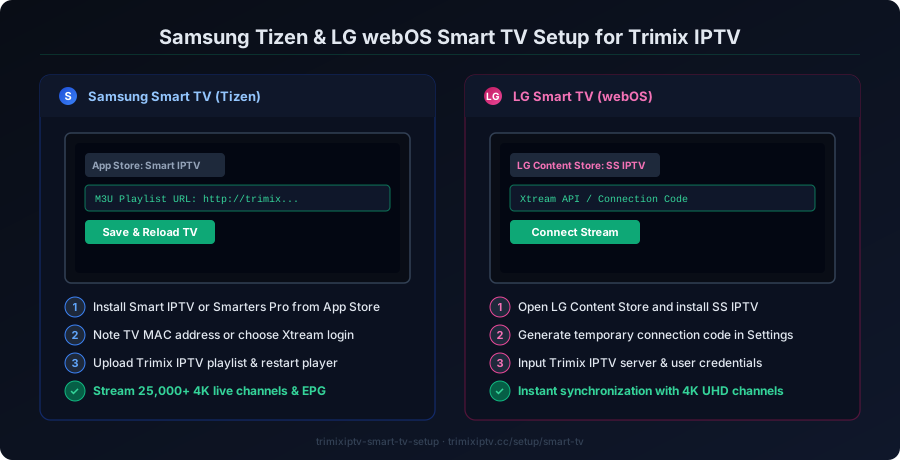
Install Smart IPTV or IPTV Smarters from Samsung App Store
Search for "Smart IPTV" in the Samsung Smart TV App Store. Install the app — it may require a one-time fee of ~$5.99 for unlimited use. Alternatively, search for "IPTV Smarters Pro" which is often available for free.
Add Your TrimixIPTV M3U Playlist URL
In Smart IPTV settings, navigate to "Add Playlist URL". Enter the M3U playlist URL provided by TrimixIPTV after your subscription activation. The app will load your 25,000+ channels automatically.
Configure and Enjoy
Once loaded, organize your channels and enable the EPG guide. Your TrimixIPTV channels will be ready to stream in up to 4K quality directly on your Samsung Smart TV.
LGLG Smart TV Setup
Access LG Content Store
On your LG Smart TV, navigate to the LG Content Store (Home → LG Content Store). Browse to the "Apps" section.
Install SS IPTV or IPTV Smarters
Search for "SS IPTV" (free, works great on LG webOS) or "IPTV Smarters Pro". Download and install your preferred IPTV player app.
Enter TrimixIPTV Credentials
Open the IPTV app and choose "Xtream Codes" or "M3U URL" login. Enter your TrimixIPTV Xtream Codes credentials (username, password, server URL) provided in your activation email.
Activate and Stream
The app loads your TrimixIPTV channel list. Browse Sports, UK, US, PPV, and VOD sections. Enjoy seamless 4K streaming on your LG Smart TV.
Tip: Android TV Box Recommended for Best Results
If your Smart TV has limitations, consider using an Android TV Box connected to your TV. It runs TiviMate Premium which delivers the best IPTV experience. See TiviMate guide →